GC Enterprise · Daily Reports · 2 min
Manage, view and export reports
Use the Daily Reports table and generate formal PDF records.
Click an image to open it full size.
Steps
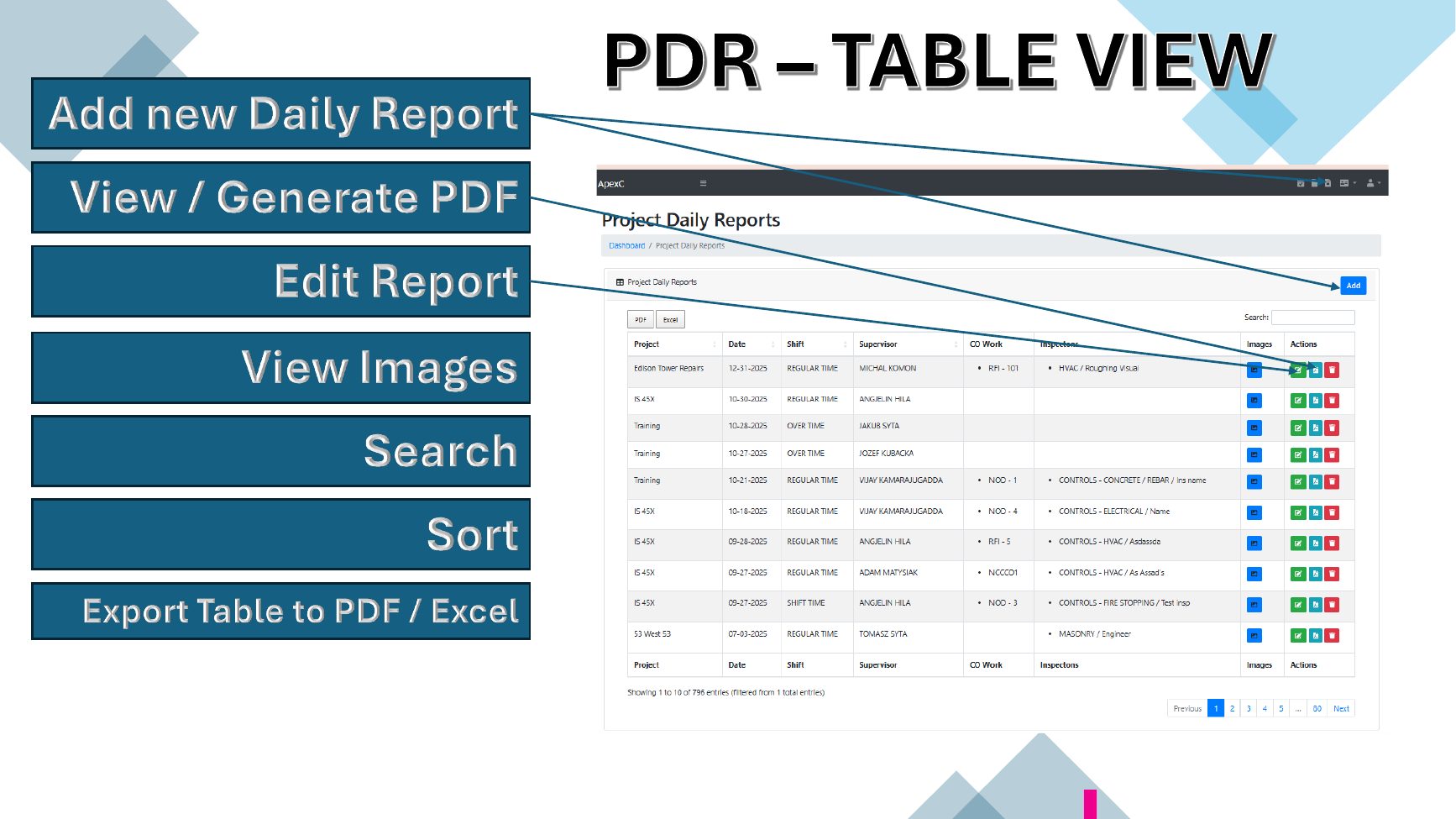
- 1From the table, add a new report, view or generate a PDF, edit a report or view its images.
- 2Search and sort to find records quickly.
- 3Export the whole table to PDF or Excel.
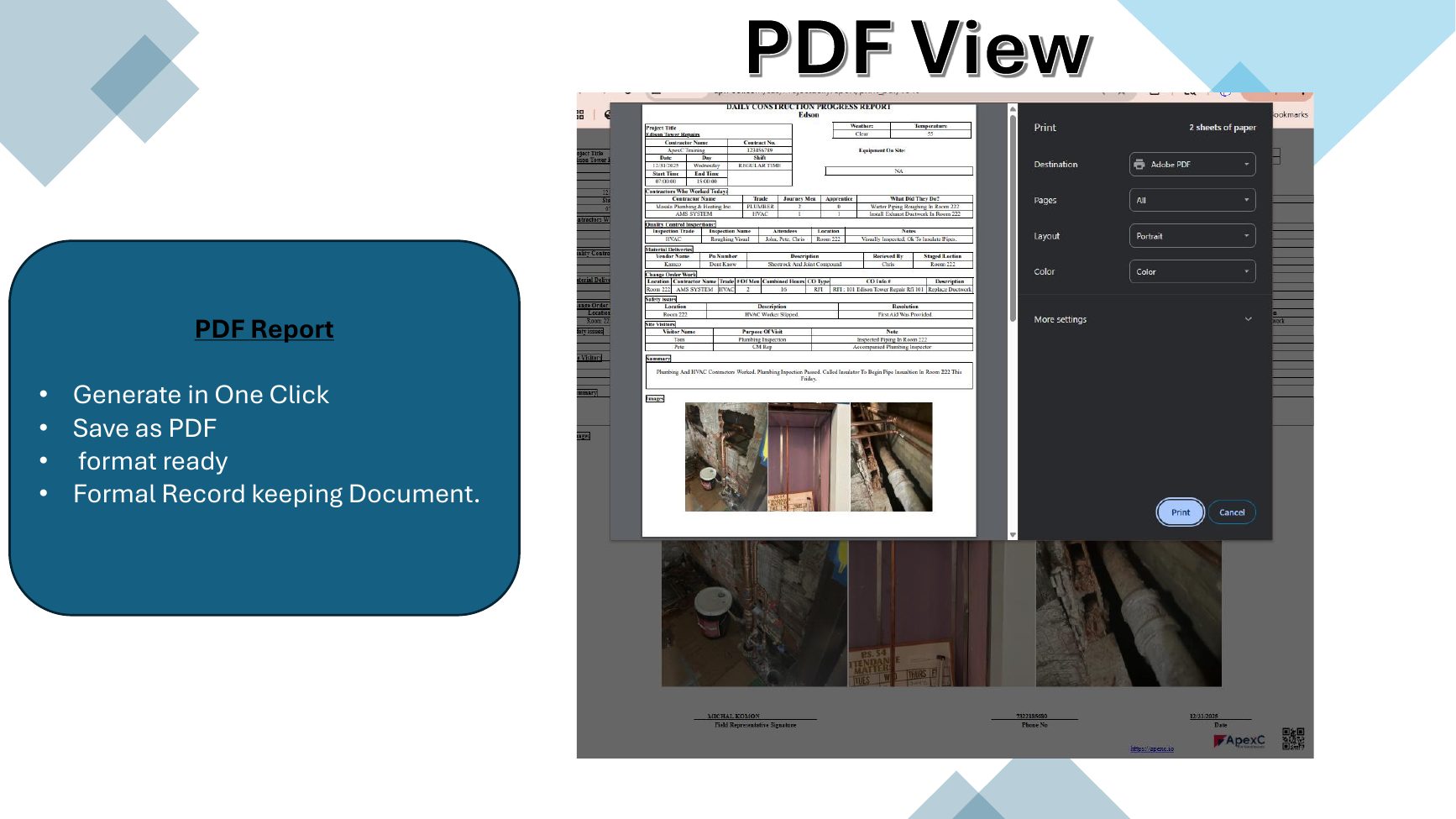
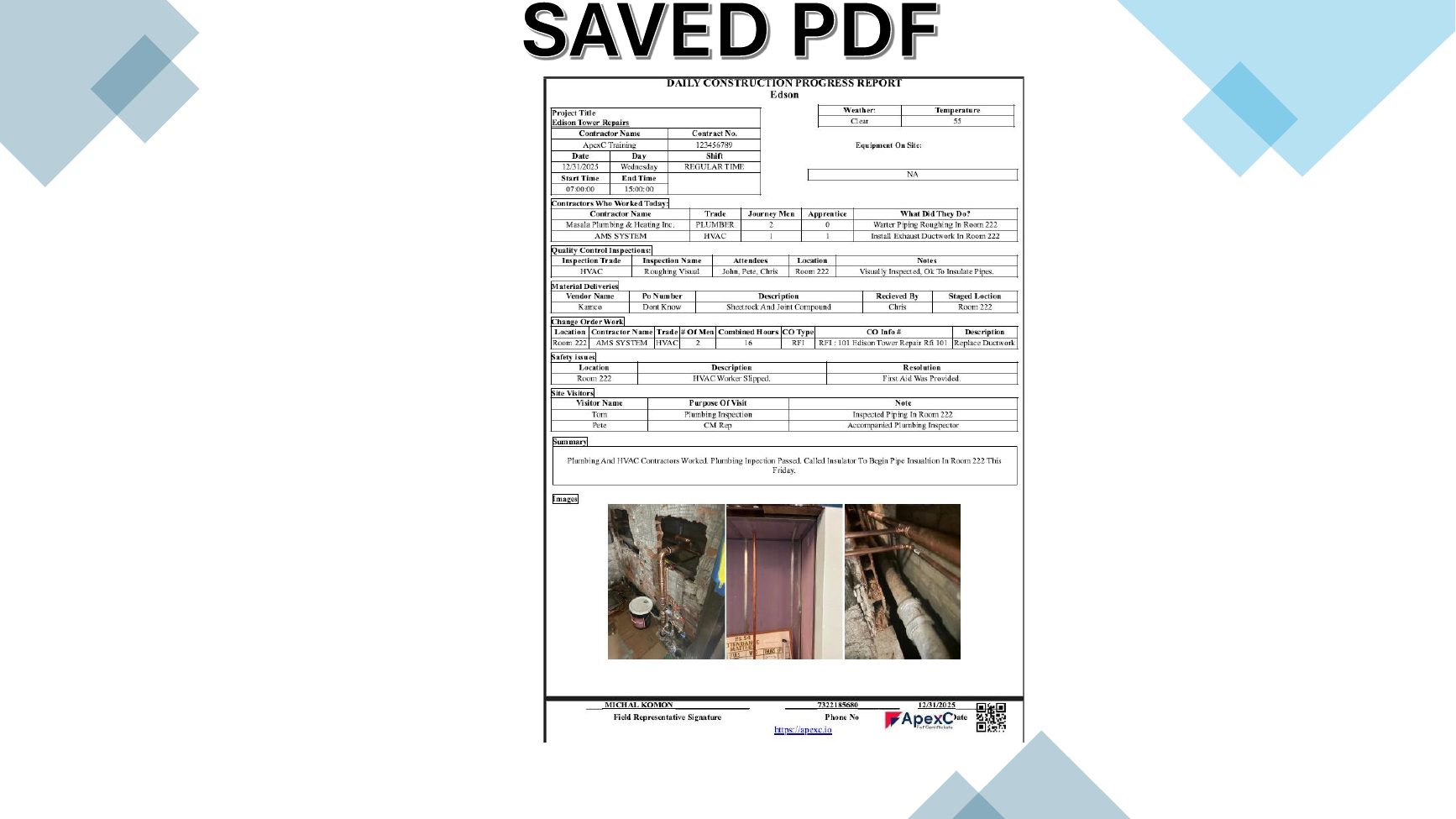
- 4Generate a formal, print-ready PDF in one click and save or share it.