GC Enterprise · Daily Reports · 3 min
Record contractor activity
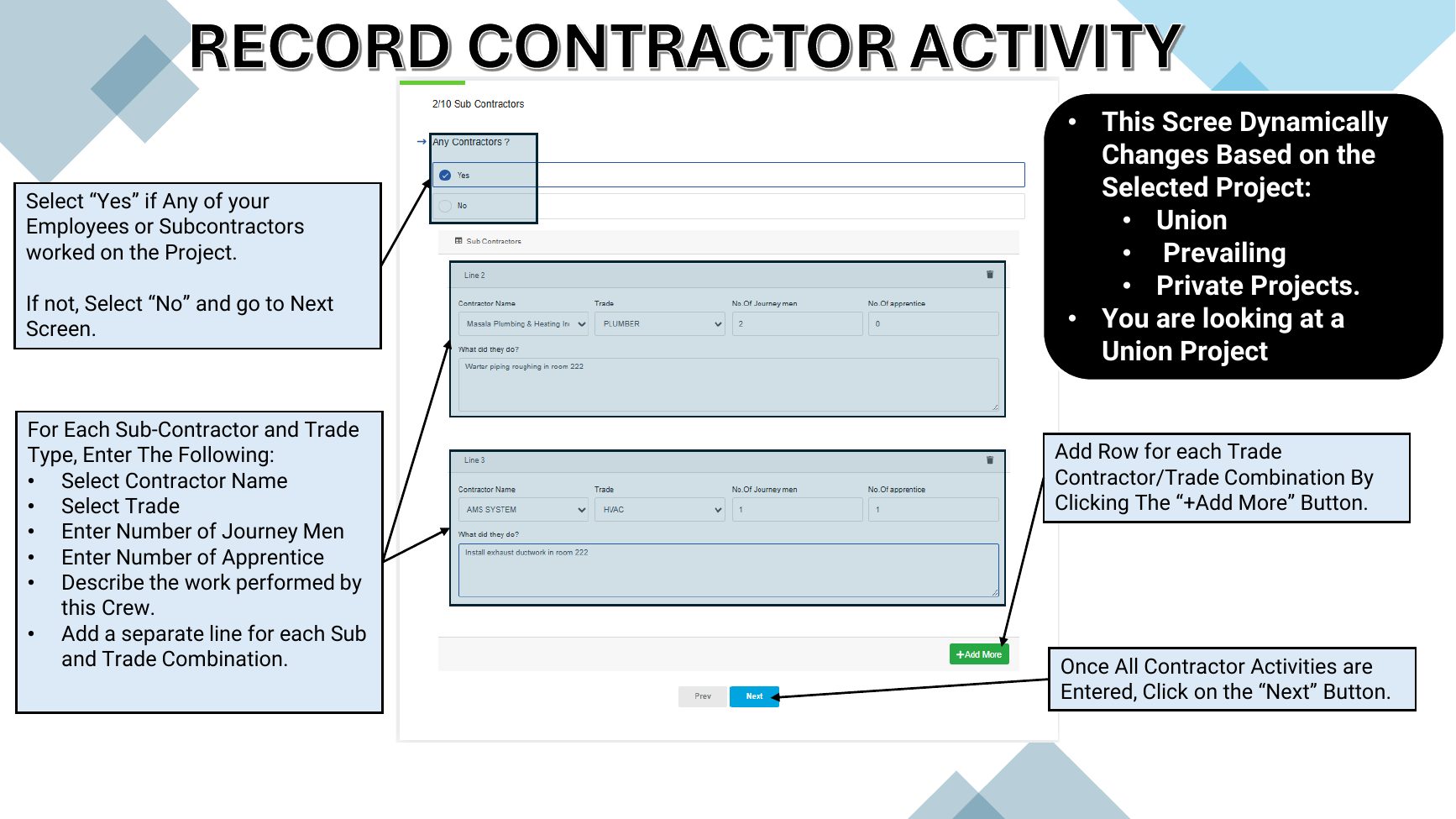
Document every employee or subcontractor crew that worked on the project.
Click an image to open it full size.
Steps
- 1Select Yes if any employees or subcontractors worked today. Otherwise select No and continue.
- 2For each crew, select the contractor and trade, then enter journeymen and apprentices.
- 3Describe the work performed by the crew.
- 4Click + Add More for each additional contractor and trade combination, then click Next.
Tip
This screen adapts to the selected project — union, prevailing-wage or private.