GC Enterprise · Training course
Creating Project Daily Reports
Short, visual lessons — one task per page, with annotated screenshots of the real GC Enterprise screens.
Lessons
Lesson 1 · 1 min
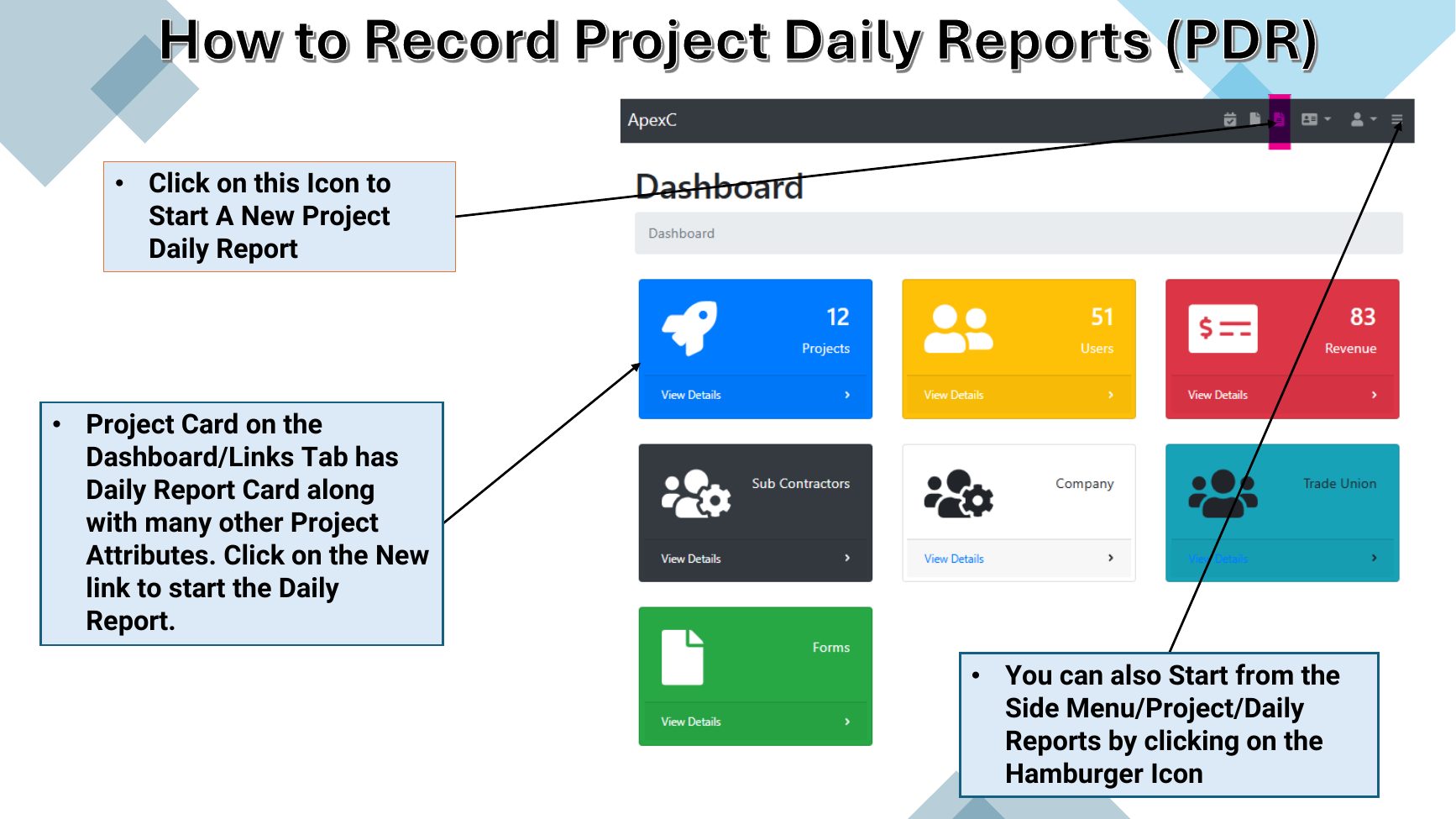
Start a new daily report
Open a new Project Daily Report from the dashboard or the side menu.
Lesson 2 · 2 min
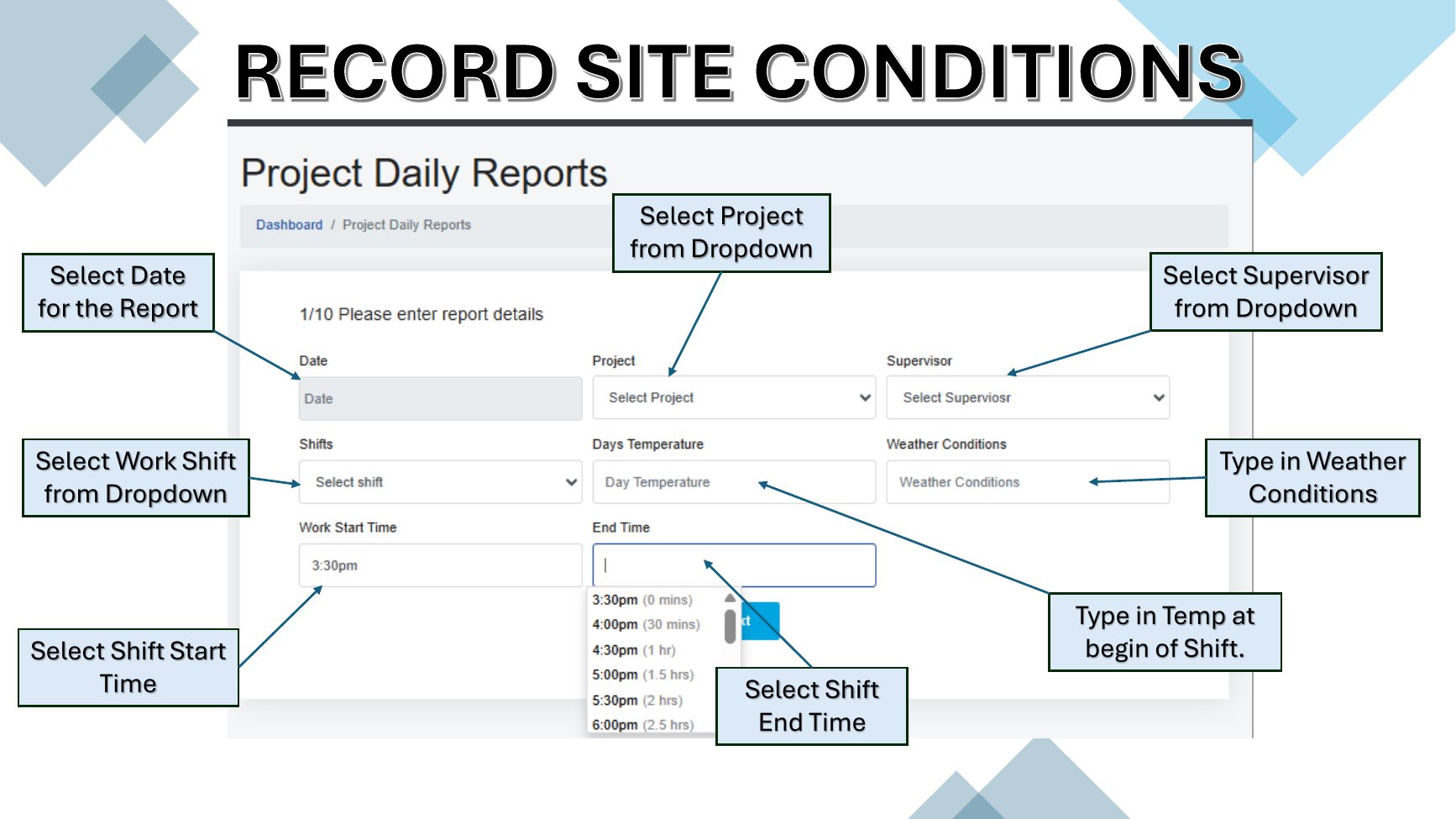
Record site conditions
Set the basic facts for the workday before recording field activity.
Lesson 3 · 3 min
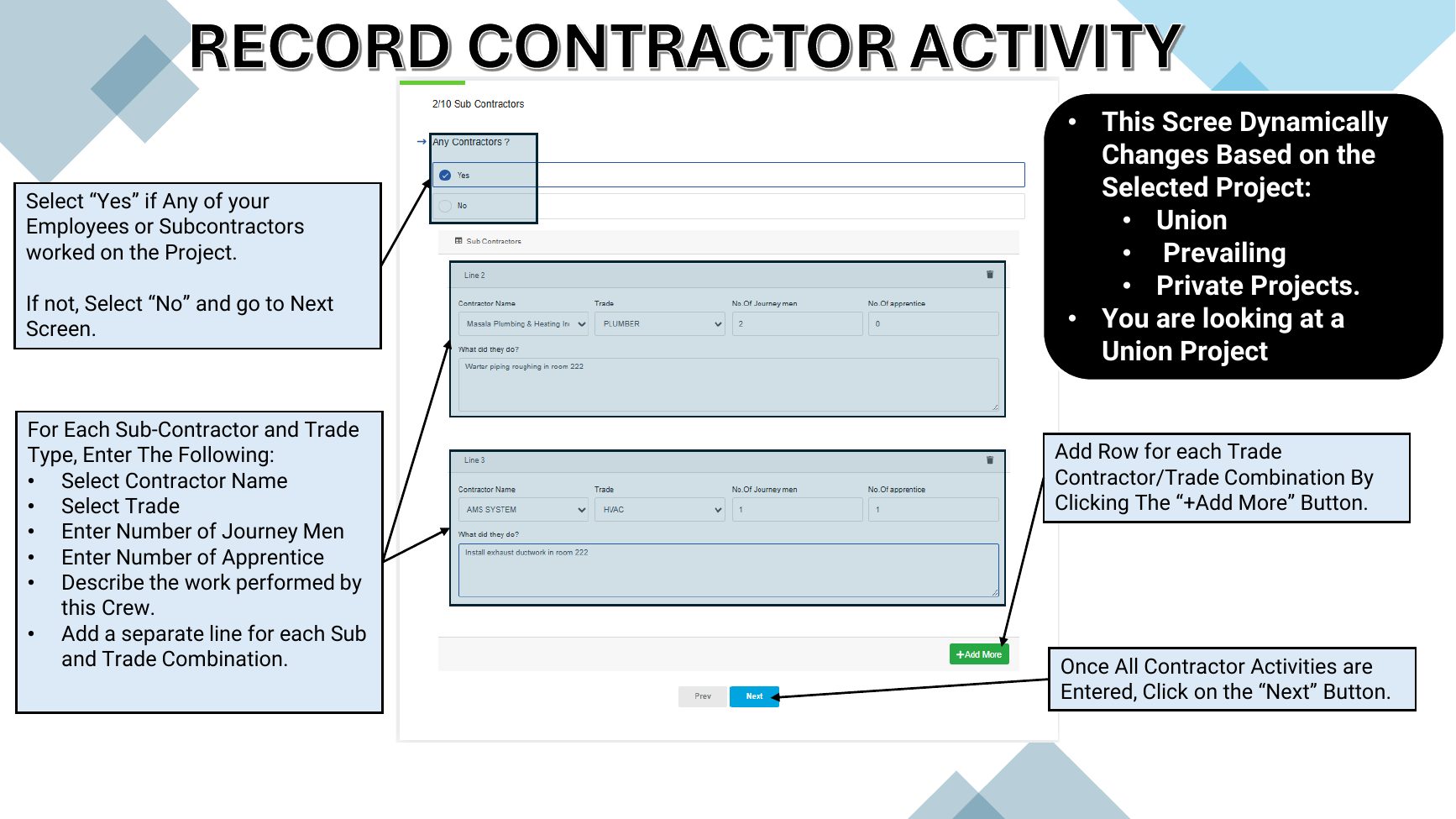
Record contractor activity
Document every employee or subcontractor crew that worked on the project.
Lesson 4 · 2 min
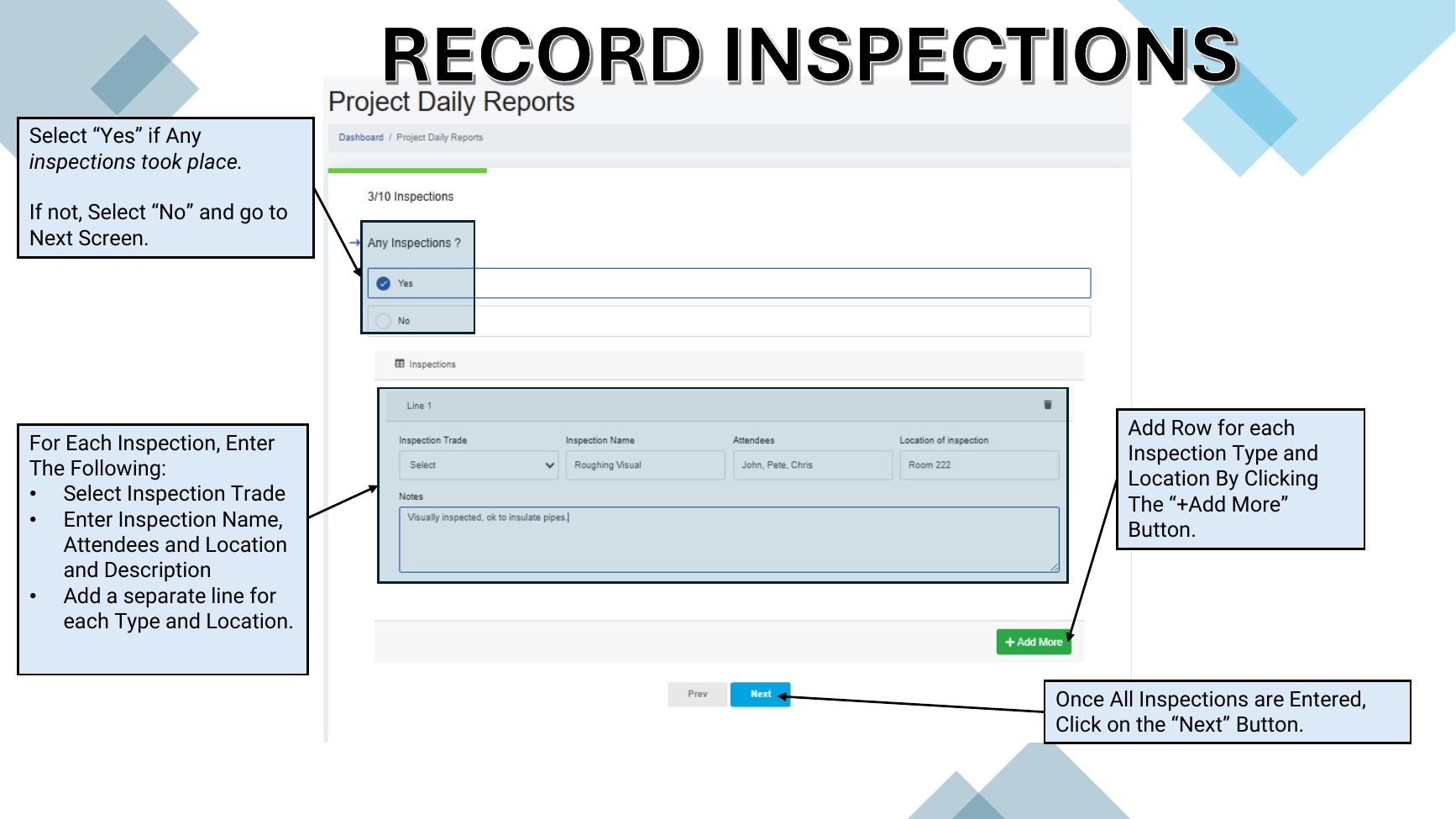
Record inspections
Capture quality-control and field inspections completed during the day.
Lesson 5 · 2 min
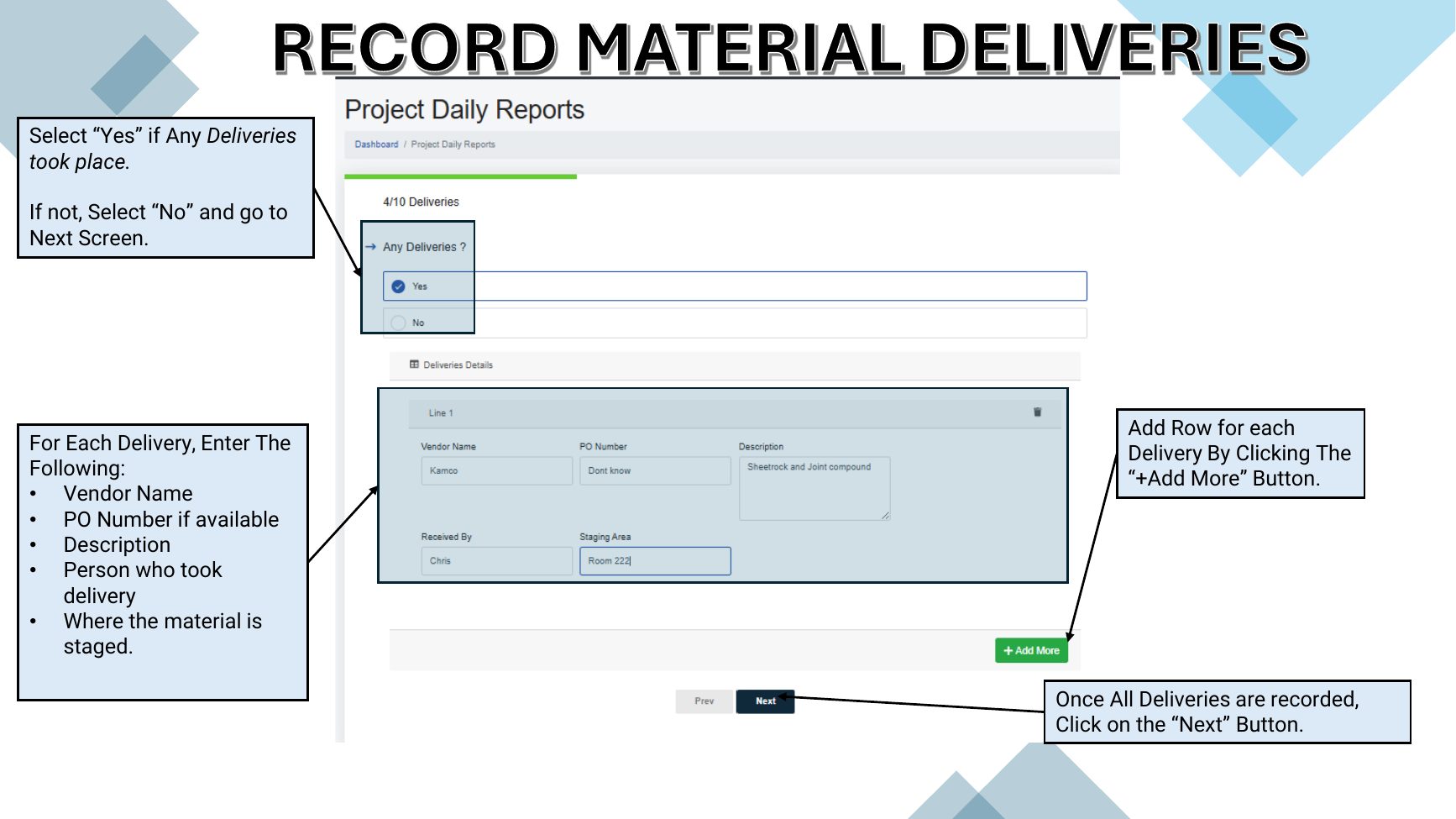
Record material deliveries
Create a traceable record of material arriving on site.
Lesson 6 · 3 min
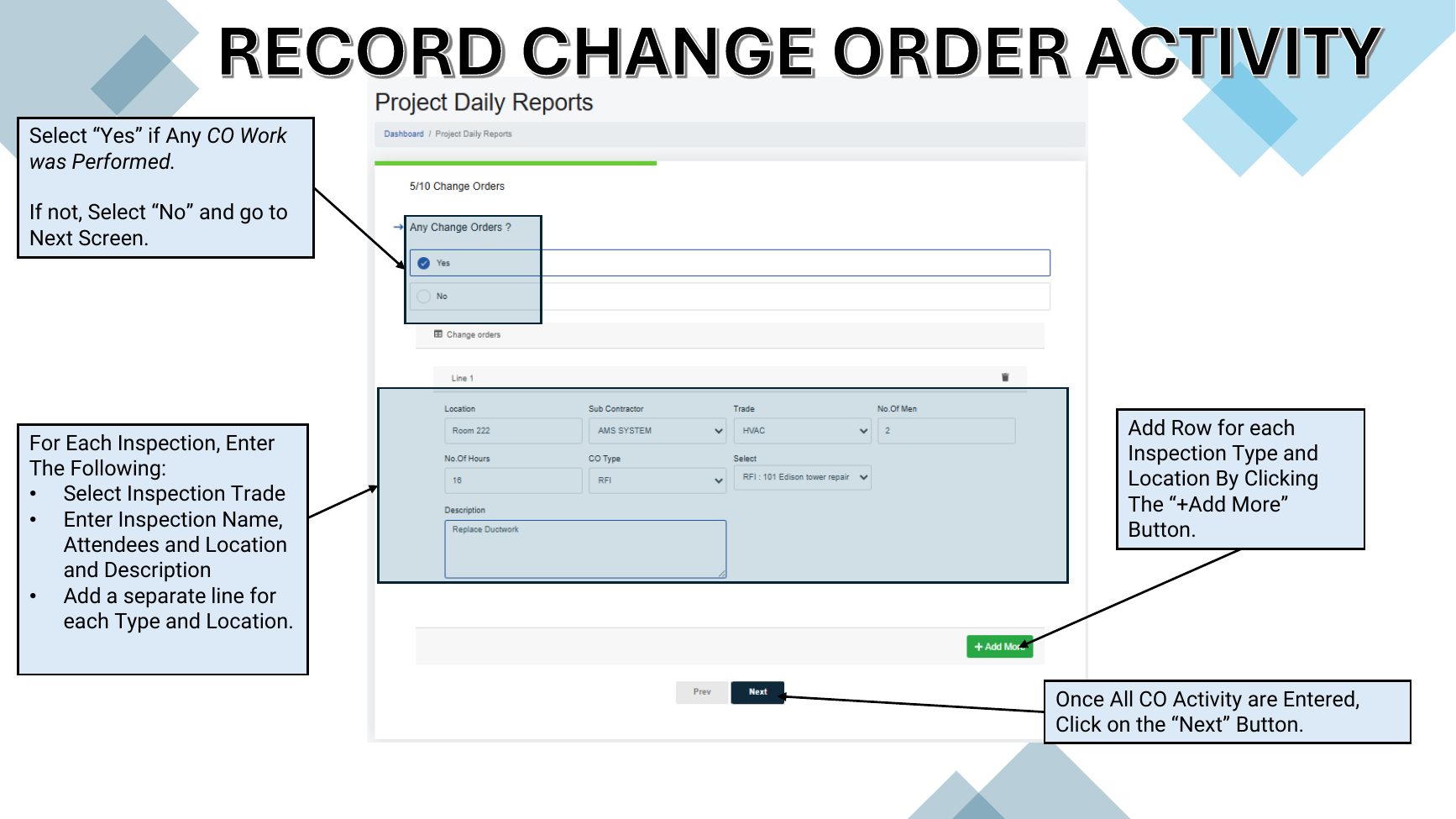
Record change-order activity
Document extra work and the record that authorized or prompted it.
Lesson 7 · 2 min
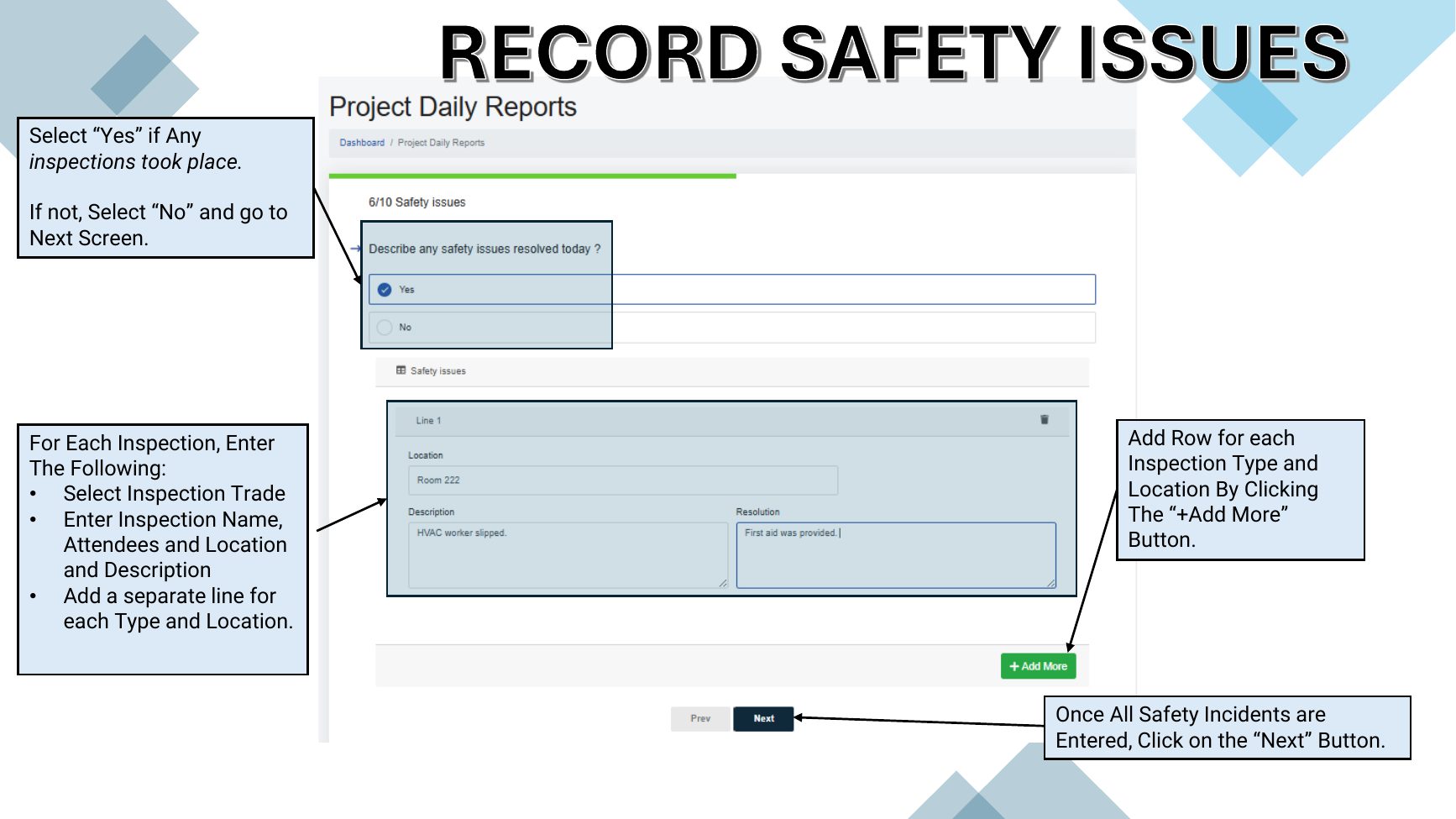
Record safety issues
Log safety issues addressed during the shift and how each was resolved.
Lesson 8 · 1 min
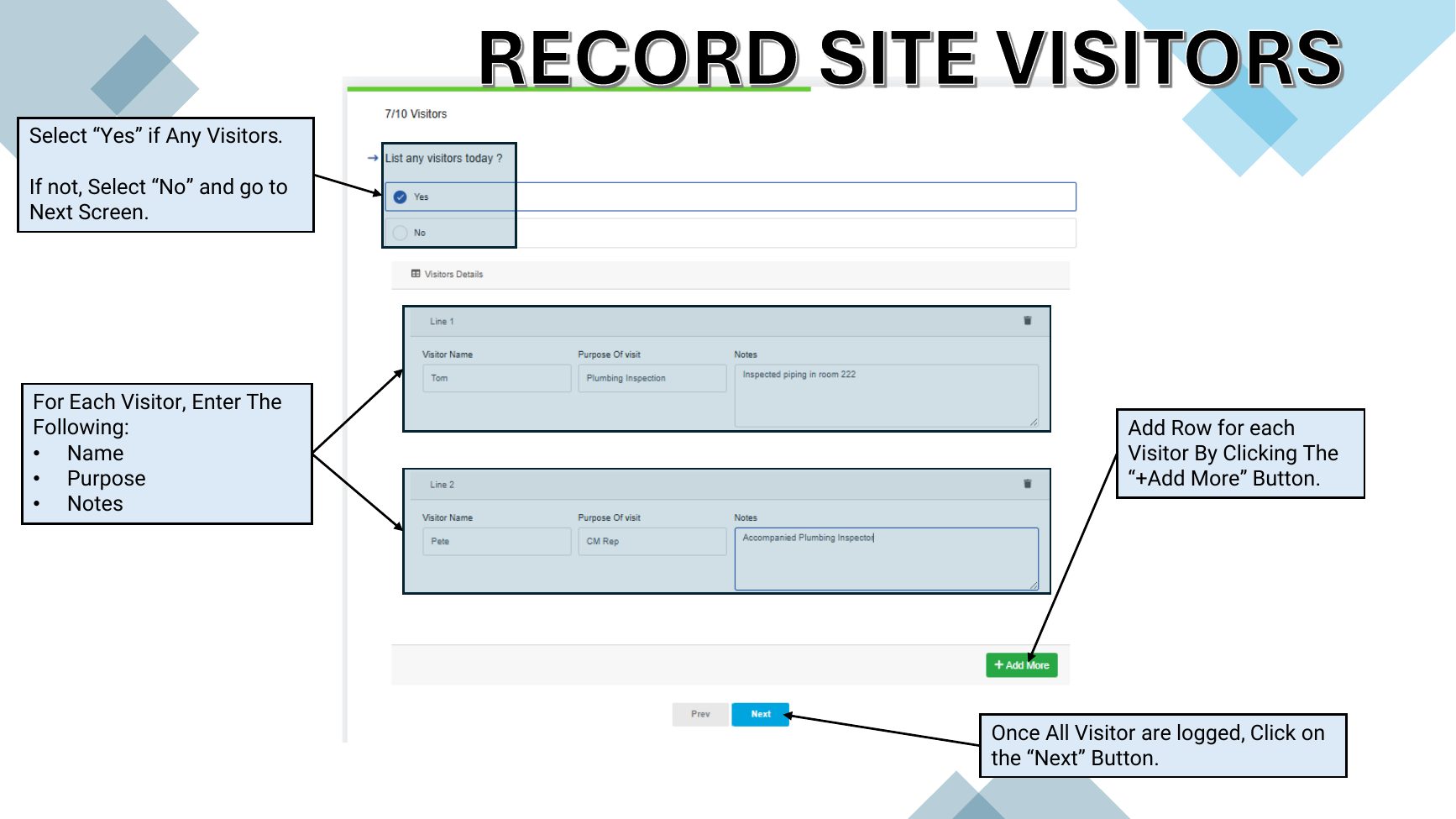
Record site visitors
Keep a daily record of visitors and why they came to the project.
Lesson 9 · 1 min
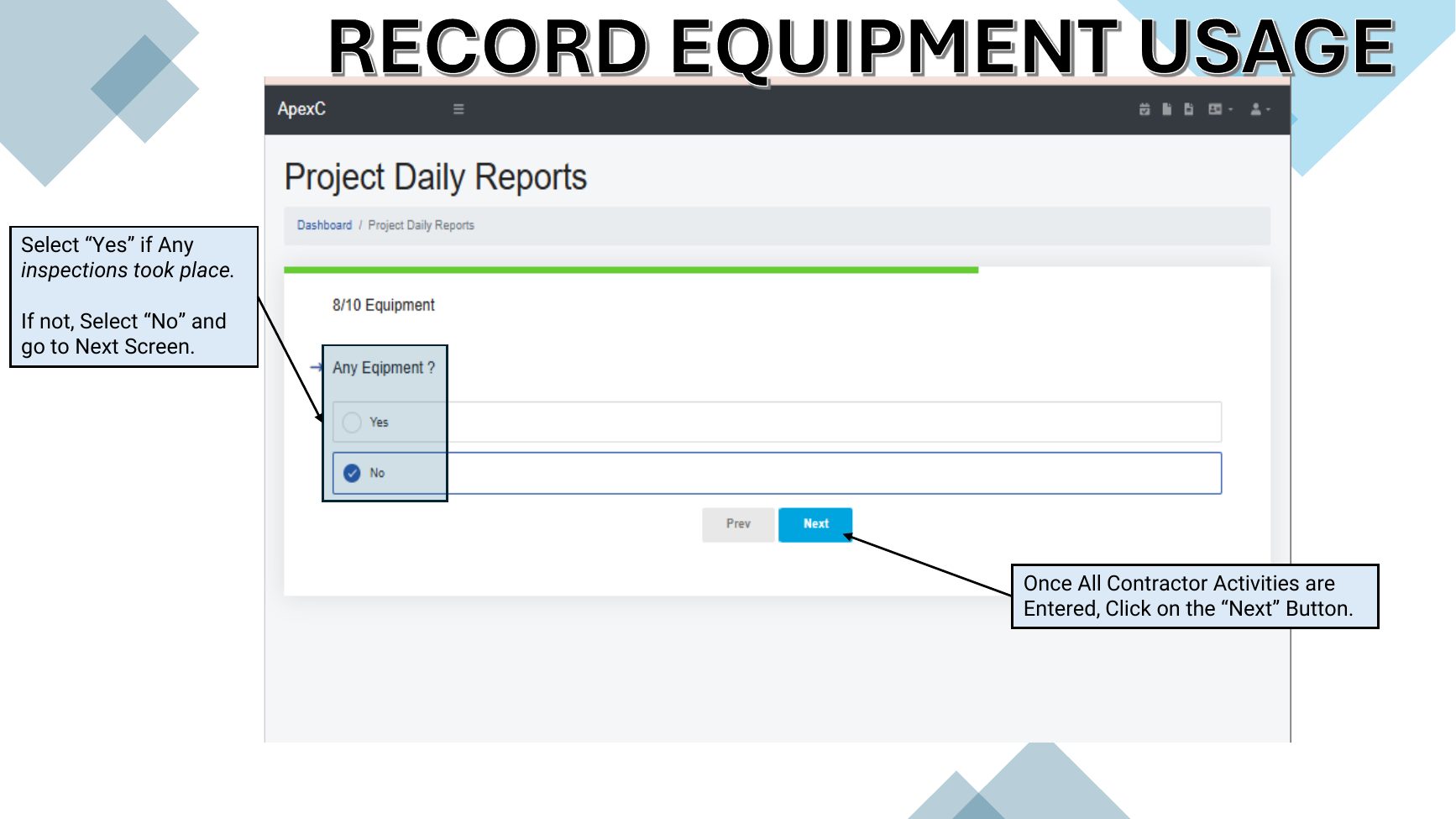
Record equipment usage
Identify equipment used or present during the shift.
Lesson 10 · 2 min
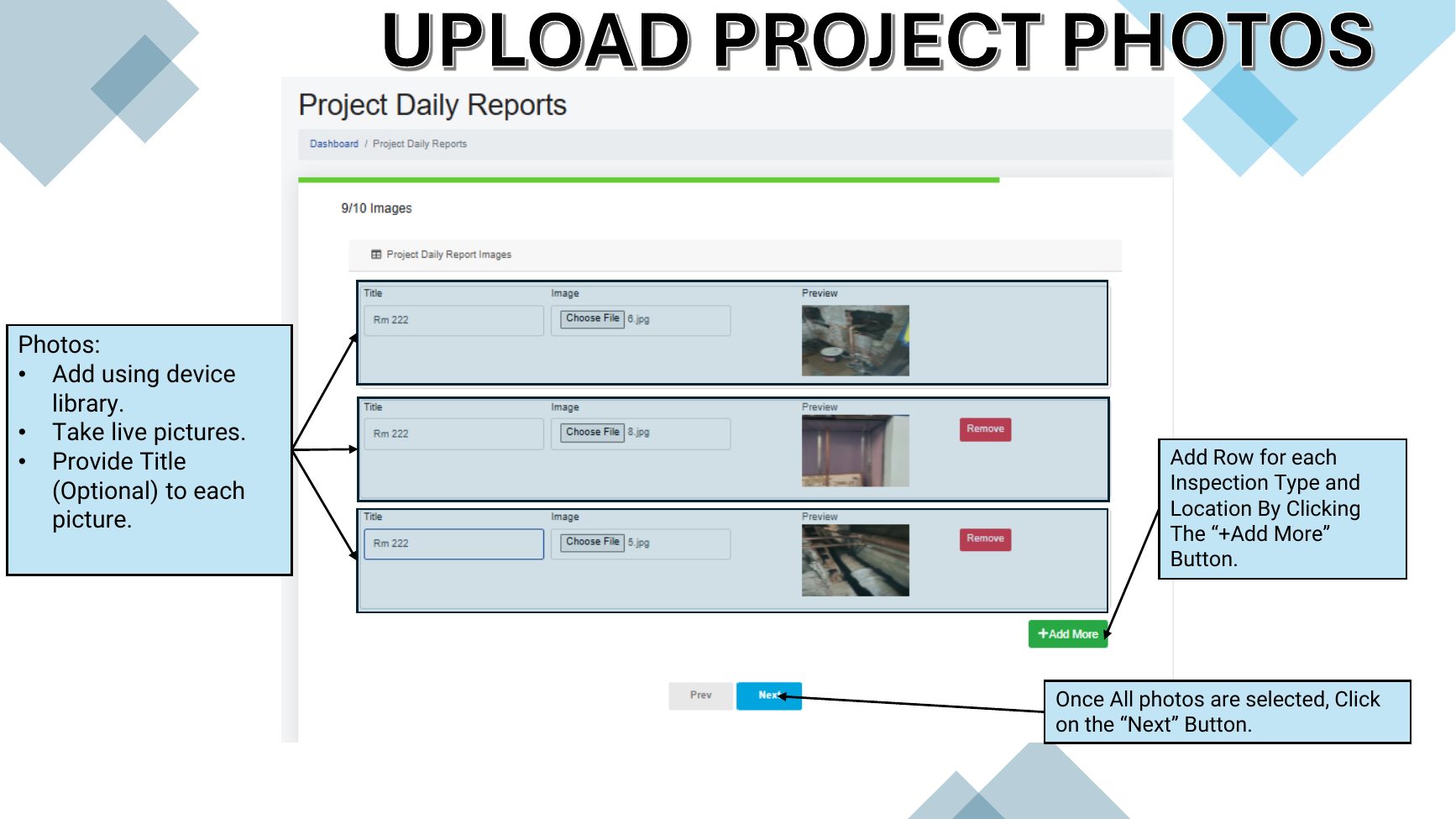
Upload project photos
Attach visual evidence of progress, conditions and field activity.
Lesson 11 · 2 min
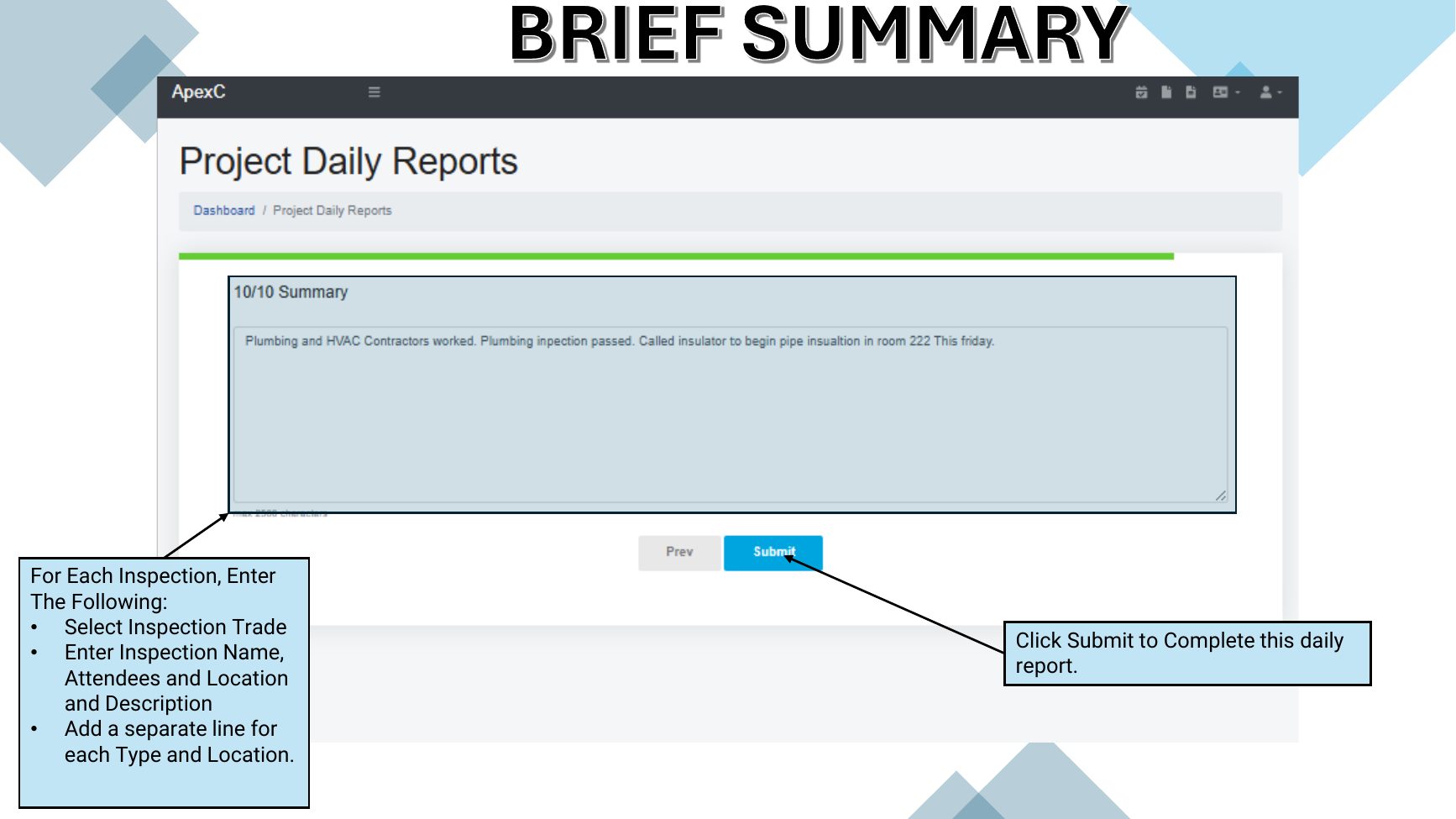
Write the summary and submit
Close the report with a concise account of the day.
Lesson 12 · 2 min
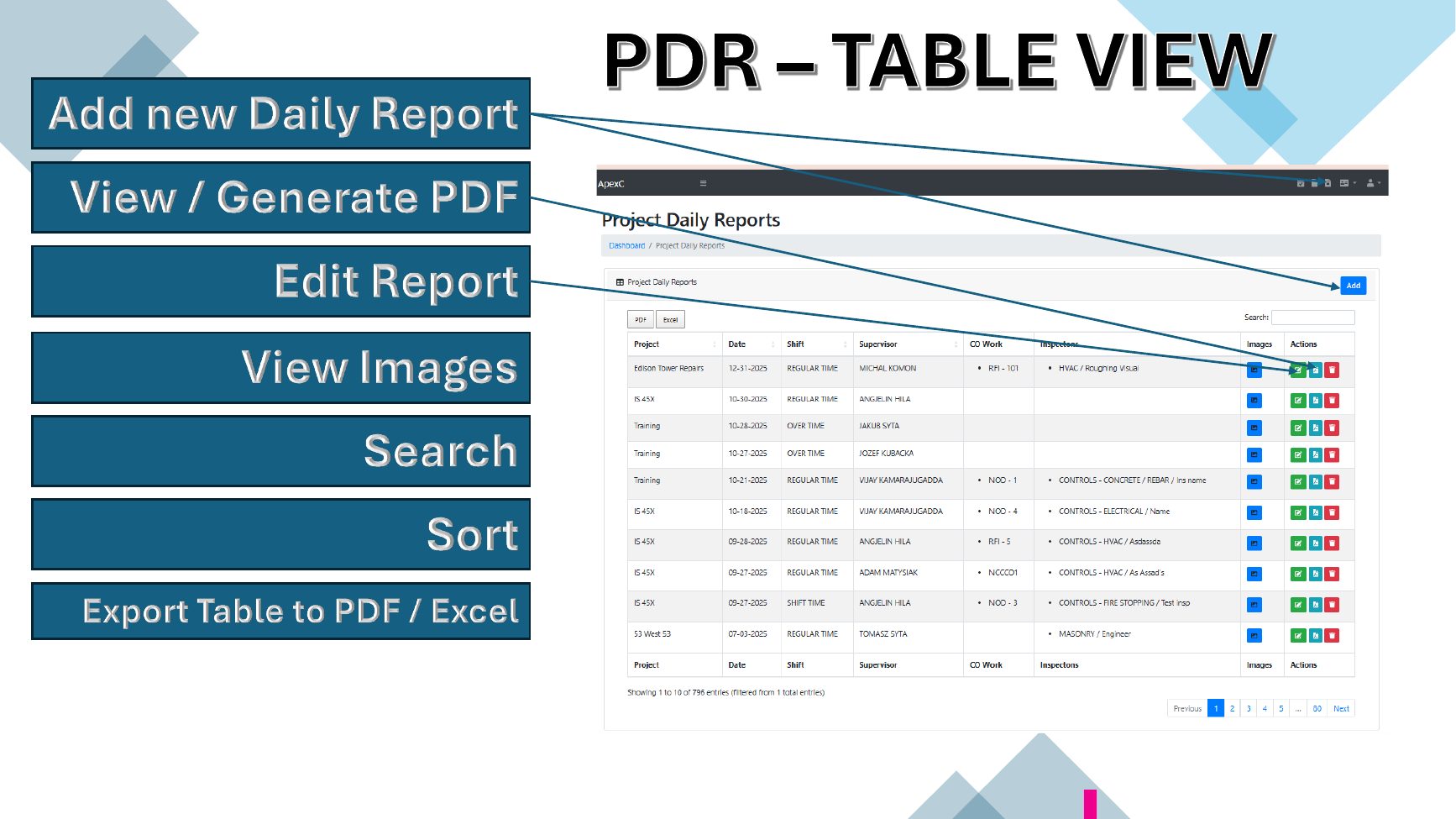
Manage, view and export reports
Use the Daily Reports table and generate formal PDF records.